1xBet App Download APK – Practical Guidance for a Smooth Mobile Betting Experience
Why Choose the 1xBet Mobile App?
The 1xBet app brings the full casino and sportsbook catalogue to your pocket, so you can place bets while commuting or waiting in line. Compared with a mobile browser, the native app loads faster, sends push notifications about live odds and exclusive promotions, and keeps your session securely stored on the device. Users also appreciate the integrated live‑casino streams, which work with lower latency than most HTML5 players.
From a security standpoint, the official APK is signed with a digital certificate that prevents tampering. That means the files you download from the 1xBet website are less likely to carry hidden malware. For players who value responsible gambling tools, the app includes built‑in limits, self‑exclusion options and easy access to help resources.
Step‑by‑Step Guide to 1xBet App Download APK
Checking Device Compatibility
Before you start, confirm that your Android device runs version 6.0 (Marshmallow) or newer. Older versions may reject the installer or experience crashes during live‑dealer sessions. Also make sure you have at least 100 MB of free storage; the APK itself is around 70 MB, but additional data will be downloaded after installation.
If you own an iPhone, the official store version is the recommended route – the APK method is Android‑only. For tablets, the same process applies; just use the larger screen to navigate the installer prompts.
Downloading the APK from the Official Source
Open your device’s browser and go to the official 1xBet website. Look for the “Mobile App” or “Download APK” button – it is usually highlighted in the footer. Click the link; the download will start automatically. Avoid third‑party sites that promise “faster” or “free” versions, as they often bundle adware.
During the download you may see a warning that “Your device is set to block unknown sources.” This is normal for first‑time installations and will be addressed in the next step.
Installing and Enabling Permissions
Once the file is saved, pull down the notification bar and tap the download to open the installer. Android will prompt you to enable “Install unknown apps” for the browser you used (Chrome, Firefox, etc.). Grant the permission, then press “Install.” The progress bar should complete within a minute.
After installation, open the app and allow it to access notifications, location (optional for geo‑restricted offers) and storage for saving receipts. These permissions improve the betting experience but are not mandatory for basic play.
Registration and First‑Time Bonus on Mobile
When you launch the app for the first time, you’ll be asked to create an account or log in. The registration form asks for typical details: email, password, date of birth and country of residence. For a smoother verification later, use the same name and address that appear on your official ID.
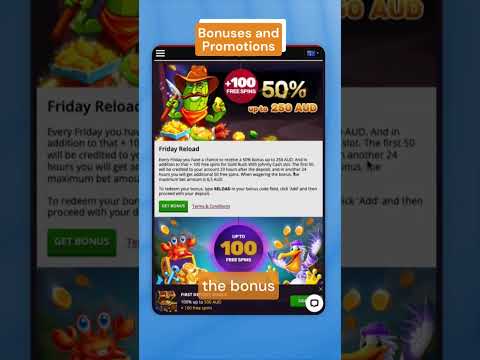
Most new players qualify for a welcome bonus – often a 100 % match on the first deposit up to a set amount, plus a few free spins on popular slots. Keep an eye on the “Bonus” tab; it outlines the wagering requirements (usually 5x the bonus amount) and any game restrictions. Remember, the bonus is only credited after the first deposit is confirmed, which usually happens instantly for e‑wallets.
Depositing Funds – Payment Methods & Limits
The app supports a wide range of deposit methods, allowing you to fund your account in the currency of your choice. Below is a quick rundown of the most common options and their typical processing times.
- Credit/Debit Cards (Visa, MasterCard) – Instant, limits vary by bank.
- E‑wallets (Skrill, Neteller, ecoPayz) – Near‑instant, ideal for fast betting.
- Bank Transfer – 1–3 business days, higher minimums.
- Prepaid Cards (Paysafecard) – Instant, no bank details required.
Most methods have a minimum deposit of €10 and a maximum that can be increased after verification. If you plan to chase large jackpots, it’s worth completing the KYC process early to lift those caps.
Withdrawing Winnings – Speed and Process
Cash‑out requests are handled directly from the app’s “Withdraw” section. Choose a method that matches your deposit for faster processing; otherwise, expect a short verification step.
| Method | Processing Time | Typical Fees | Notes |
|---|---|---|---|
| E‑wallets (Skrill, Neteller) | Instant‑to‑24 hrs | No fee up to €2,000 | Best for quick payouts. |
| Credit/Debit Card | 2–5 business days | €3‑€5 per transaction | Requires card verification. |
| Bank Transfer | 3–7 business days | Variable, depends on bank | Higher limits, good for large sums. |
Before you submit a withdrawal, double‑check that the account name matches the one on your verified ID. Mismatched details are the most common cause of delays.
Common Issues & How to Resolve
If a withdrawal is marked “Pending,” it usually means the KYC documents are still under review. Upload a clear scan of your passport or driver’s licence via the “Verification” tab and wait 24‑48 hours. For “Declined” messages, verify that you haven’t exceeded the monthly withdrawal limit for your chosen method.
Technical glitches, such as the app freezing on the confirmation screen, can often be fixed by clearing the app cache (Settings → Apps → 1xBet → Storage → Clear Cache) or reinstalling the latest APK.
Security, Verification (KYC) and Responsible Gambling
1xBet employs SSL encryption to protect all data transmitted between your device and their servers. The verification process, known as KYC (Know Your Customer), involves submitting a photo ID and a recent utility bill. This step not only safeguards your account but also unlocks higher deposit and withdrawal limits.
Responsible gambling tools are built into the app: you can set daily loss limits, self‑exclude for a chosen period, or contact the support team for a temporary freeze. These features are easy to find under the “Responsible Play” menu and are highly recommended for anyone new to betting.
Customer Support & Help Options in the App
The app offers 24/7 live chat, email support and a comprehensive FAQ section. For urgent matters—like a stuck withdrawal—live chat is usually the fastest route, with average response times under two minutes. Email replies may take up to 24 hours, but they are useful for sending scanned documents securely.
All support channels are staffed by multilingual agents, which is handy for global players. The “Contact Us” page also lists a toll‑free number for regions where phone support is available.
Frequently Asked Questions (FAQ)
- Can I use the 1xBet app on iOS? Yes, download it from the Apple App Store; the APK method is Android‑only.
- Is the 1xBet app safe to install? As long as you download the APK from the official site, the app is signed and regularly updated for security.
- What if my country is not listed in the app? Some jurisdictions are restricted; you can check the “Legal” section for a full list of supported countries.
- Are there any hidden fees for deposits? Most e‑wallets are fee‑free; credit cards may have a small processing charge depending on your bank.
- Where can I find alternative betting apps? For a broader view of the market you might also explore the 1xvet apk as another option.
Final Thoughts
Downloading the 1xBet app via the official APK gives you the fastest, most feature‑rich betting experience on Android. By following the steps above—checking compatibility, installing safely, completing verification, and using the appropriate payment methods—you’ll be ready to claim your welcome bonus and start playing responsibly.
Remember to keep the app updated, set personal gambling limits, and reach out to support whenever something feels off. With these habits, the 1xBet mobile platform can become a reliable companion for both casino lovers and sports‑betting enthusiasts worldwide.